


 Back
Back

Want to make a deposit without typing in card numbers? Red Stag Casino supports CardPay, a secure checkout that lets you fund your account with Google Pay, Cash App, Apple Pay, or a regular credit or debit card. If you can buy a coffee with your phone, you can make a deposit here.
Last updated: July 2026
⚡ Fast & easy · 💵 Higher limits · ✅ Higher acceptance · 🔒 Wallet-secured checkout
This guide walks through the whole flow with real screenshots, from clicking Deposit to confirming your payment.
Not in the mood to read? Watch the quick guide instead!
Ready to try it? Open the cashier and follow along - you'll be done in about two minutes.
What is CardPay?
CardPay is a payment gateway that works like any online checkout: you pick an amount, choose how to pay, and confirm. You pay in US dollars - $25 means $25 - and your balance is credited in US dollars. Your Apple Pay, Google Pay, or Cash App wallet or card does all the work.
A typical deposit takes about two minutes.
What You'll Need
- Your Red Stag Casino account (logged in)
- A phone that can receive a text message - the checkout uses a one-time SMS code to secure your session
- Your payment method: Google Pay, Cash App, Apple Pay, or a Visa / Mastercard / JCB card
One important rule before you start: payments must be made in your own name. Transactions are only processed in the name of the registered account holder, so use your own wallet or card.
Step-by-Step: Making a CardPay Deposit
Step 1: Click "Deposit"
Log into your Red Stag Casino account and click the yellow Deposit button in the top-right corner.

Step 2: Select the Wallet Payment Method
The cashier opens with your available deposit methods. Look for the wallet tile - it cycles through the Apple Pay, Google Pay, and CardPay logos, but it's all one payment method. Whichever logo is showing when you look, select that tile and click Continue.
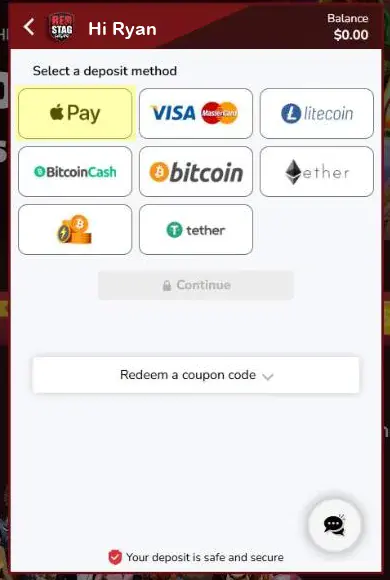
The tile rotates through these three logos - it's the same button no matter which one is showing:

Note: Don't worry if your tile shows a different logo than the screenshot - Apple Pay, Google Pay, and CardPay all open the same secure checkout.
Step 3: Choose Your Amount
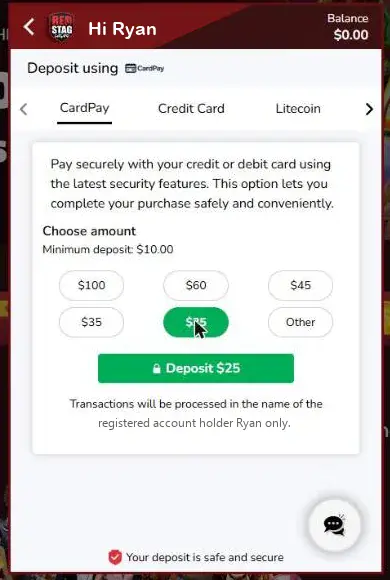
You're now on the CardPay tab of the cashier. Pick one of the preset amounts or click Other to enter your own. The minimum deposit is shown right on this screen (typically $10).
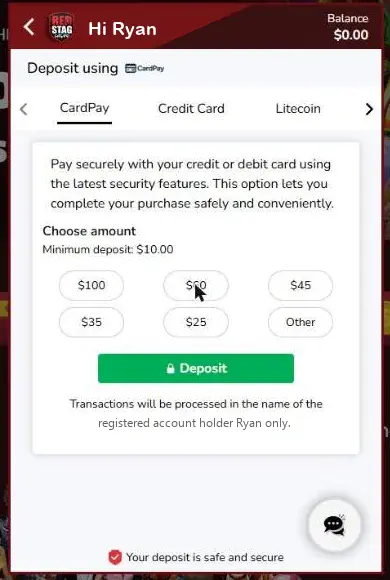
Once you select an amount, the green button updates - click Deposit to continue.
Step 4: Pick Your Bonus
Before payment, the cashier shows any bonus you qualify for. You can Claim the offer, redeem a coupon code, or select I don't want a bonus to deposit without one.
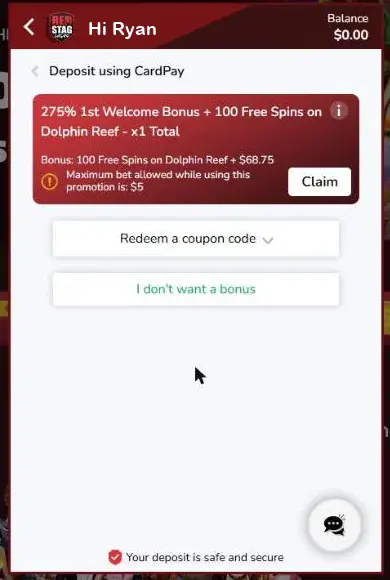
Tip: Check the bonus terms before claiming - promotions can carry a maximum bet limit while active.
Step 5: Confirm the Amount in CardPay
The CardPay window opens inside the cashier. Confirm your deposit amount (you'll see the full range of available amounts here), then click Confirm.
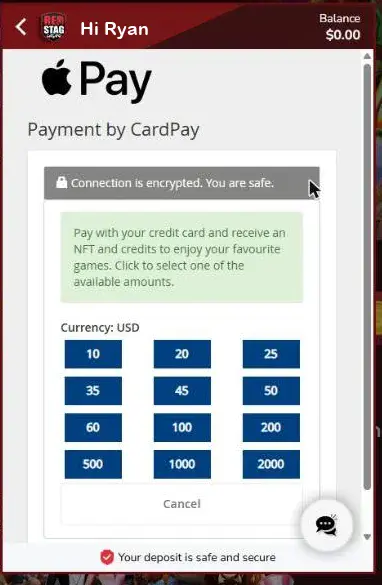
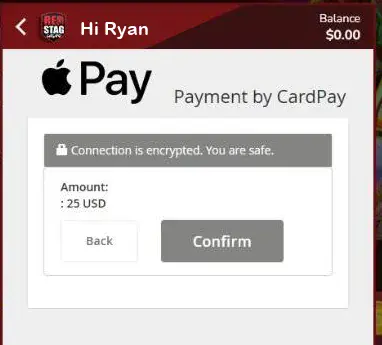
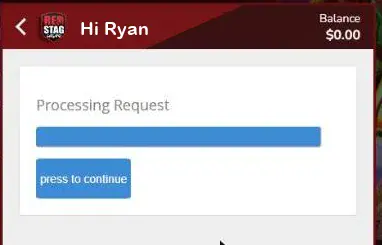
After a brief "Processing Request" screen, click press to continue - the secure checkout opens in a new tab.
Step 6: Review the Secure Checkout
You're now in CardPay Secure Checkout. It shows exactly what you're paying - for example, $25. Note the session timer in the top corner: you have about 10 minutes to complete the payment before the session expires.
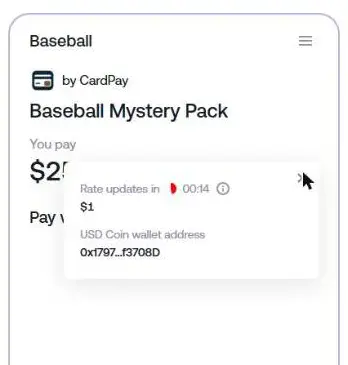
You'll notice the checkout mentions 25 USDC and a collectible "Mystery Pack". That's just how CardPay moves your money behind the scenes: it runs on secure crypto rails, so your dollars purchase digital credits (USD Coin) worth exactly what you pay - at 1:1 - and those credits fund your Red Stag Casino balance. You never need a crypto wallet, and you never handle crypto yourself.
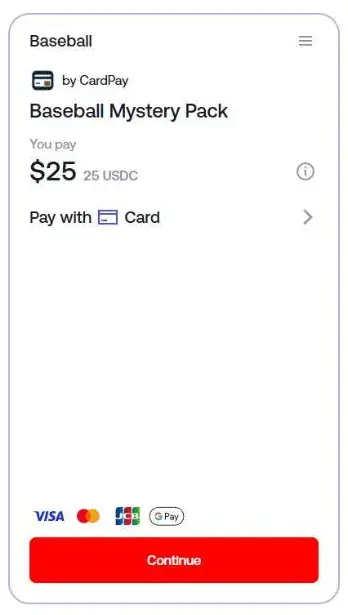
You can click the small info icon next to the amount to see the live conversion rate and the behind-the-scenes transaction details:
Step 7: Choose How to Pay
Click the Pay with row to see your payment options:
- Card - Visa, Mastercard, JCB (instant)
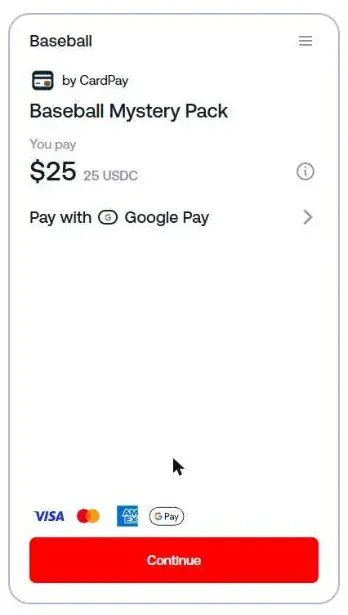
- Google Pay (instant)
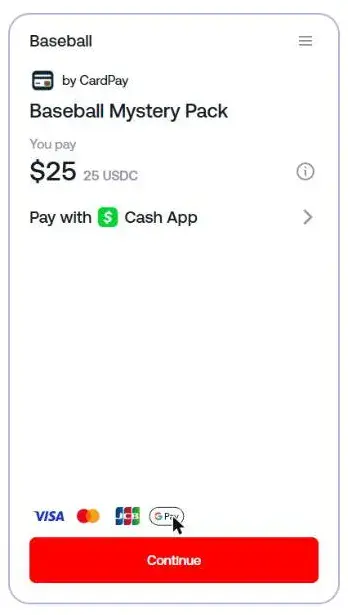
- Cash App (instant)
- Apple Pay (instant, on Apple devices)
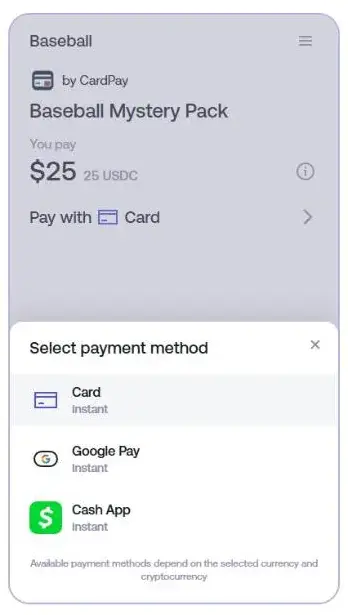
Where's Apple Pay? Payment options adapt to your device. Apple Pay appears when you check out from an iPhone, iPad, or Mac using Safari. On other devices you'll see Google Pay and Cash App instead.
Select your method - the checkout updates to show your choice:
Then click Continue.
Step 8: Verify Your Phone Number
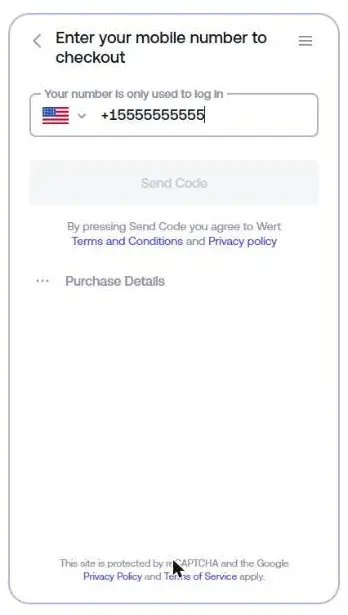
The first time you use CardPay, you'll be asked for your mobile number. This is a one-time login step - the number is only used to secure your checkout session. Enter your number and click Send Code, then type in the code from the text message you receive.
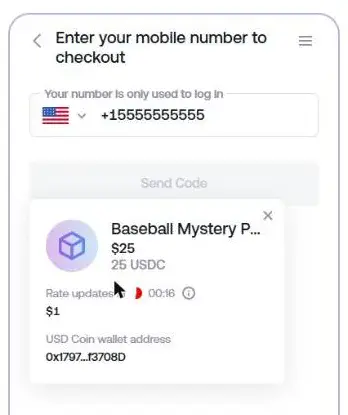
You can review your order anytime via Purchase Details:
Step 9: Complete the Payment
After verification, finish the payment with your chosen method:
- Card - enter your card details and approve the charge (your bank may show a quick 3-D Secure confirmation)
- Google Pay - approve the payment in the Google Pay window
- Cash App - approve the payment request in your Cash App
Step 10: You're Funded
Once the payment is approved, you're returned to Red Stag Casino and your balance updates with your deposit - plus any bonus you claimed in Step 4. Time to play!
Your turn: head to the cashier and make your first CardPay deposit - you now know every screen you'll see along the way.
Good to Know
- Session timer - The secure checkout gives you roughly 10 minutes. If it expires, just start the deposit again from the cashier.
- Live rate - The USD-to-credits rate refreshes every few seconds during checkout. Your dollar amount stays the same.
- Your name only - Deposits are processed in the registered account holder's name. Wallets or cards belonging to someone else won't work.
- Device matters - Apple Pay shows on Apple devices; Google Pay and Cash App on the rest. The card option is always there.
- Encrypted end to end - The connection is encrypted and card payments run through 3-D Secure verification.
FAQ
What is CardPay?
CardPay is the secure checkout Red Stag Casino uses for wallet-based deposits. It lets you fund your account with Google Pay, Cash App, Apple Pay, or a credit/debit card, converting your dollars into casino credits at 1:1.
Why does the checkout mention a "Mystery Pack" and USDC?
CardPay processes your payment over secure crypto rails. Your dollars purchase USD Coin credits (worth exactly what you pay) plus a digital collectible pack, and your casino balance is funded from that. You don't need a crypto wallet and you never handle crypto yourself.
What's the minimum deposit?
The minimum is displayed on the amount screen in the cashier - typically $10.
Why do I need to enter my phone number?
The secure checkout uses a one-time SMS code to protect your session. Your number is only used for this login.
Why don't I see Apple Pay at checkout?
Apple Pay is only offered on Apple devices (Safari on iPhone, iPad, or Mac). On Windows or Android you'll see Google Pay and Cash App instead.
Can I claim a bonus with a CardPay deposit?
Yes. The bonus step appears during the deposit flow - claim the offer, enter a coupon code, or skip it.
Can I use someone else's card or wallet?
No. Transactions are only processed in the name of the registered account holder.
Need Help?
If you run into any issues, our support team is here 24/7:
- Live Chat: Available anytime on the site
- Email: support@redstagcasino.com
A CardPay deposit takes about two minutes once you've done it once. Pick your amount, tap your wallet, and you're back to the games.